DiscoWar Guide
Everything you need to master DiscoWar, scale your bot fleet, and automate Discord growth with confidence.
Welcome to DiscoWar
DiscoWar is the modern Discord fleet management and community automation platform. Designed for scale, safety, and efficiency, DiscoWar empowers community managers and growth teams.
Using our Clone Master, Member Discovery, and automated outreach, you can extract high-value leads and execute personalized messaging without risking your main accounts.
Account Setup & Funding
DiscoWar operates on a hybrid subscription and pay-as-you-go model. Some advanced AI features require wallet credits.
-
1Create your account Simply sign in using Google Auth or traditional email registration.
-
2Select a Subscription Tier Go to Settings -> Subscriptions to pick your tier (Basic, Elite, or Agency). Higher tiers unlock more concurrent bot slots.
-
3Top Up Wallet (Crypto) For AI tasks and advanced scraping, you need wallet credits. Click "Top Up Wallet" and complete your deposit via Crypto (BTC/USDT).
Crypto Deposits
Crypto deposits require network confirmations. Please allow up to 15 minutes for your wallet balance to reflect new deposits after the transaction is broadcasted.
Enabling Discord Developer Mode
To copy Server (Guild) IDs, Channel IDs, and User IDs needed for scraping, monitoring, and targeting in DiscoWar, you must enable Developer Mode inside your Discord client or browser.
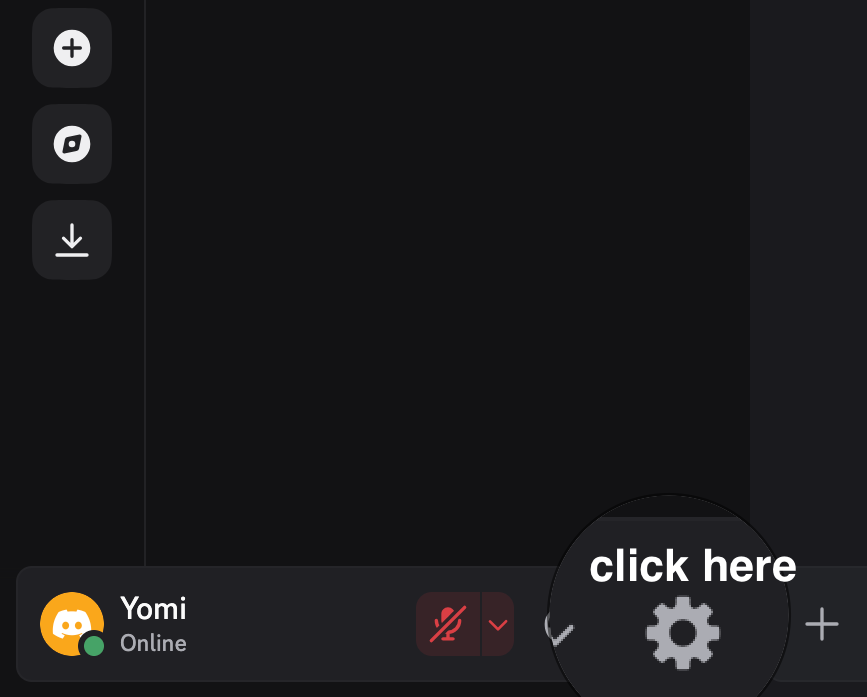
Click User Settings (Gear Icon)
In the bottom-left corner of Discord (next to your username and avatar), click the User Settings gear icon.
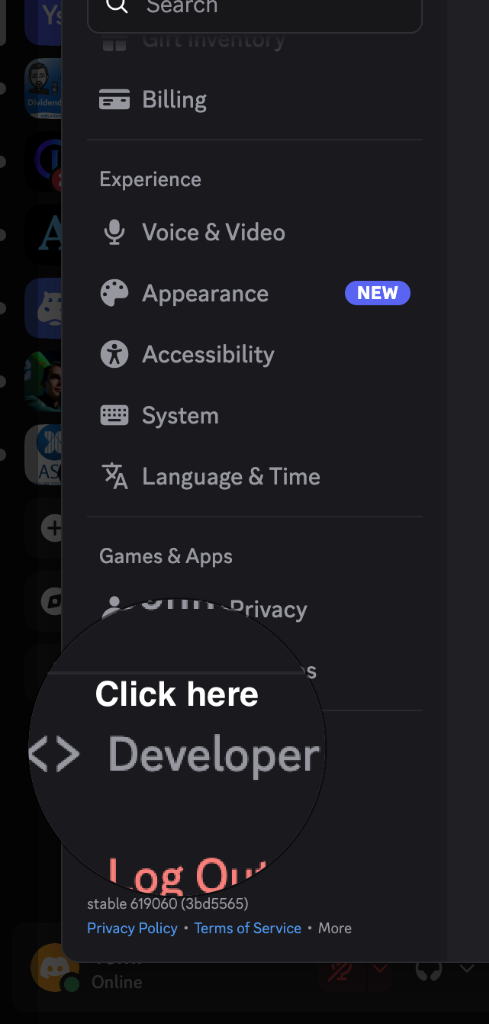
Select Developer Under App Settings
In the left settings sidebar, scroll down to the App Settings section and click on Developer.
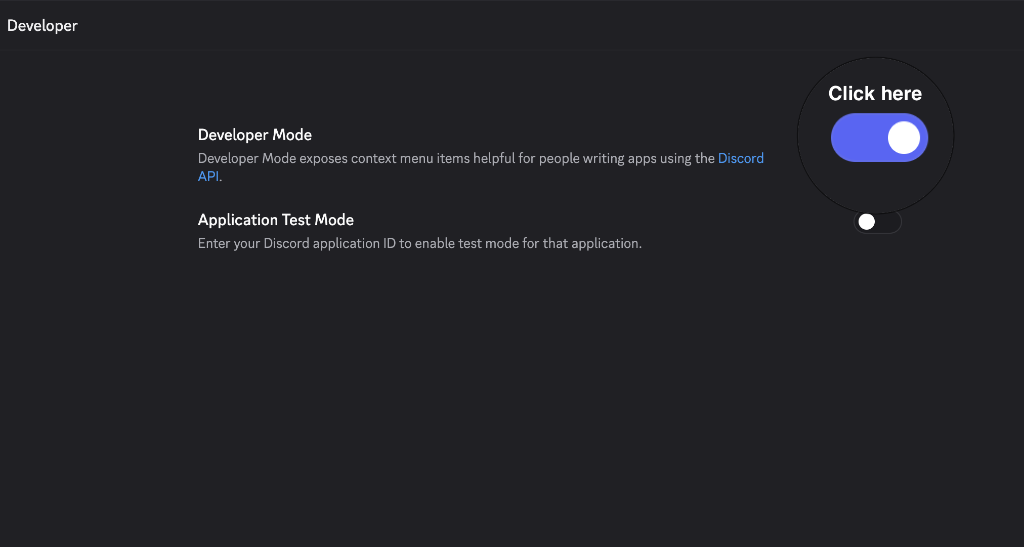
Turn Developer Mode Toggle ON
Click the toggle switch next to Developer Mode so it is switched ON (purple). You can now right-click any server, channel, or member to instantly copy their unique Discord ID!
How to Copy IDs Once Developer Mode is Active:
• Server (Guild) ID: Right-click the server icon in your Discord server bar ➔ click Copy Server ID.
• Channel ID: Right-click the channel name in the channel list ➔ click Copy Channel ID.
• User ID: Right-click any member profile or message author in chat ➔ click Copy User ID.
Clone Master & Extracting Tokens
DiscoWar uses Discord user tokens (self-bots) to execute operations. Never use your main personal Discord account token. Always use aged, secondary accounts to protect your operations.
How to Extract Your Discord User Token (Browser DevTools)
Discord does not provide an official API token button for user accounts. Follow these 5 visual steps in your web browser (Chrome, Brave, Edge):
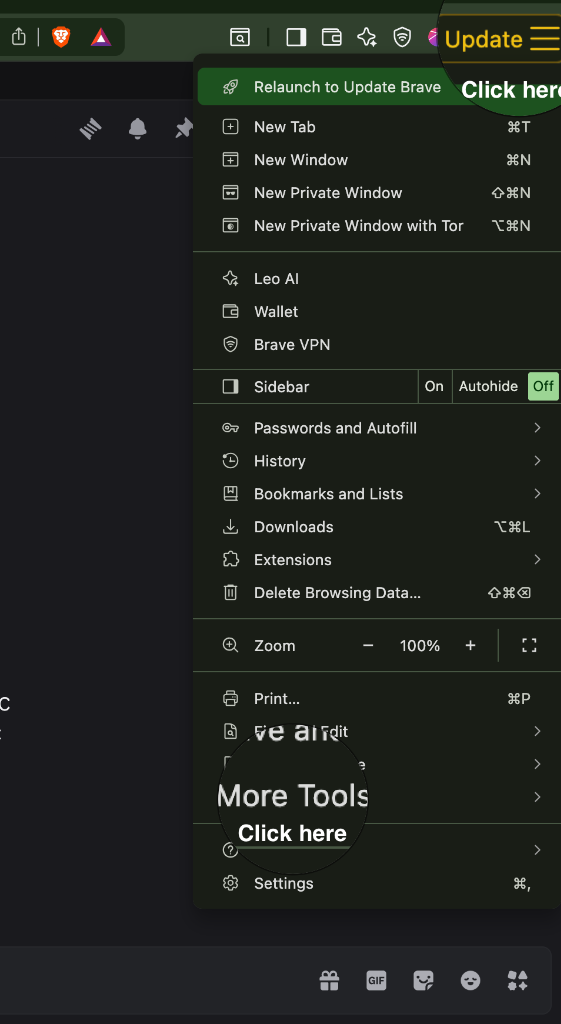
Open Developer Tools in Your Browser
Log into Discord in your web browser at discord.com/app. Click the browser menu (three dots / three horizontal bars at top-right) ➔ select More Tools ➔ click Developer Tools (or press F12 / Cmd+Option+I / Ctrl+Shift+I).
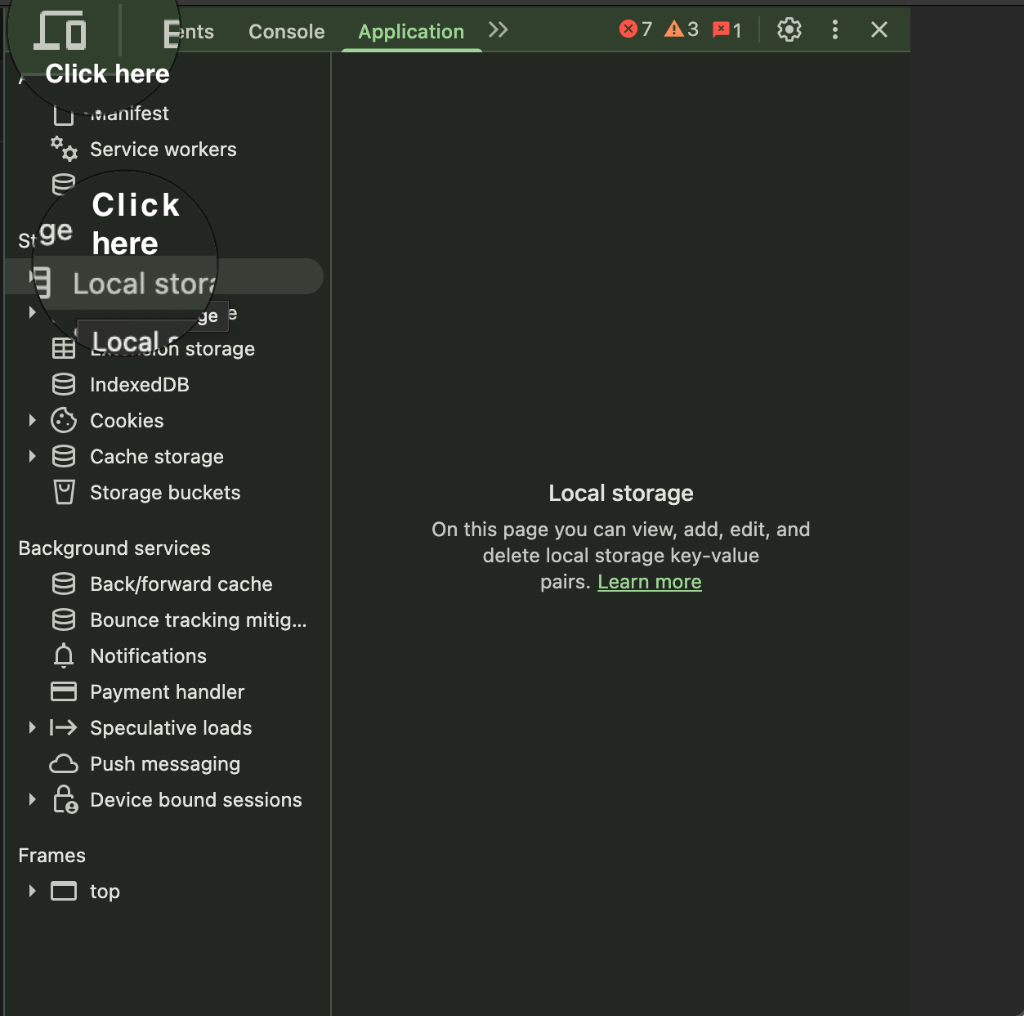
Click Application ➔ Local Storage
In the Developer Tools window, switch to the Application tab at the top (click the >> icon if tabs are collapsed). In the left sidebar under the Storage tree, click Local storage.
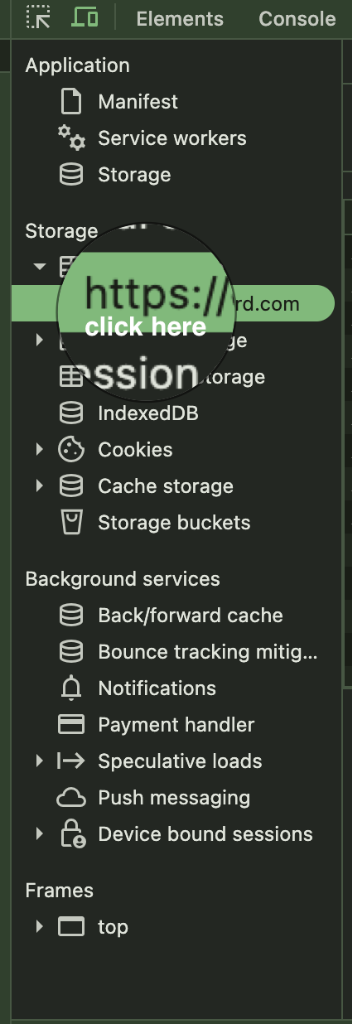
Select https://discord.com
Under Local storage, click on https://discord.com to view stored key-value pairs for your Discord session.
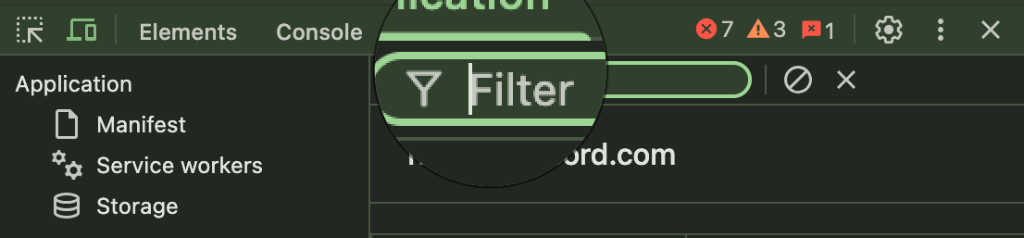
Click the Filter Search Bar
At the top of the key-value table, click into the Filter input box.
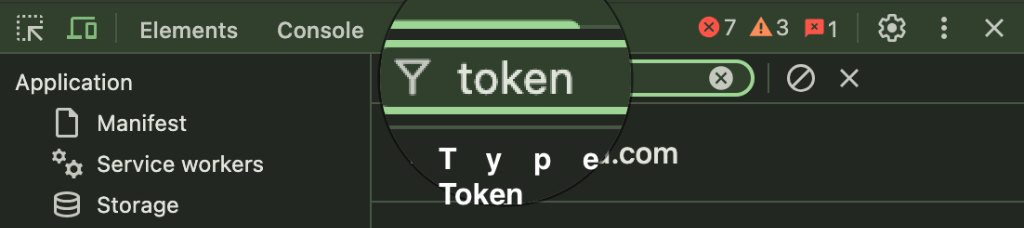
Type "token" and Copy the Token Value
Type token into the filter box. The row labeled token will appear. Double-click the value in the right column, copy the string (without surrounding quotes), open your DiscoWar dashboard, navigate to Clone Master, click + Add Bot, and paste it!
Token Security
Tokens provide full access to a Discord account. Do not share your tokens with anyone. DiscoWar securely encrypts tokens in our database and masks them on all dashboard displays.
Lead Center (Scraper)
The Lead Center module allows you to extract thousands of leads from competitor servers in seconds.
Running a Scrape
Navigate to the Recon tab, input the Guild (Server) ID, and select the bot you wish to use. The bot must already be a member of that server.
AI Enrichment
When you run a deep-scan scrape, DiscoWar uses AI to categorize the server (e.g., "NFT", "Gaming", "DeFi") and tags the leads automatically. This costs $1.00 per unique server from your wallet.
Exporting Leads
Scraped leads are automatically saved as CSV files and ingested into the central Global Lead Database, where you can filter them by Join Date and Account Age to find real "Whales."
Global Lead Database
This is where all your extracted targets are stored. From here, you can initiate a Top Member Discovery scan to identify VIPs or pass the leads to the Outreach engine.
Automated Outreach
Once you have your targets in the Global Lead Database, use the Automated Outreach module to instruct your bots to begin engaging with targets.
AI Tooling
DiscoWar comes packed with advanced AI models to maximize your conversion rates.
-
AOverlap Radar Analyzes a Discord Server's description and members to identify competitor servers that share the same audience. Highly useful for finding new targets.
-
CCapital Readiness Predicts the spending capability of a server based on its category and member age distribution.
Affiliate & Commissions
Earn passive income by referring other marketers to DiscoWar.
Commission Structure
- Tier 1: Earn 20% of all deposits made by users you directly invite.
- Tier 2: Earn 10% of all deposits made by users invited by your direct referrals.
Claiming Commissions
Your accrued commissions are stored in your Commission Balance. To withdraw them, click the CLAIM button on the Affiliate dashboard. Payouts are processed manually to your provided Crypto wallet address within 24-48 hours.
Troubleshooting
My bot won't connect (Status: Error)
Ensure the token is valid. Discord frequently resets tokens if an account's password is changed or if suspicious activity is detected. Try extracting the token again and updating it in the dashboard.
Cannot scrape server
The bot token you selected MUST be a member of the server you are trying to scrape. Furthermore, some servers restrict member list access; in those cases, the scraper will only grab visible members.
Zero Balance / Need Credits
If you hit a "Insufficient Balance" error, top up your wallet. The standard subscription does not cover pay-as-you-go AI enrichment features.